Friday, September 28, 2018

September 28th, 2018. Program: Maya

Last blog of September!

Stuff Learned:
-the basics of nerves

-how to create and manipulate poly models using the many tools of Maya
         -mostly used the extrude, smooth, reduce, target weld, & multi cut tools
-creating and using materials and textures through the hyper shade window


-made a coffee mug and crown


-went through the 18 menus of Maya
-found so many short cuts

Favorite Short Cuts:
-Ctrl Z (undo)
-Alt click&drag (3D camera rotation)
-Shift click (multi select)
-Ctrl G (group)
-Ctrl Shift A (select all)

Over All Experience:
Maya was a really fun program to use. It had so many options, all extremely useful for 3D animation and modeling. I can tell why so many animation companies rely on it, I'll definitely be using it again.

Plans For Next Month:
I'll be using multiple art and animation programs to show how to create an art and animation portfolio for entrance into university.

Tuesday, September 25, 2018

September 25th, 2018. Program: Maya

Work Notes:

Stuff Done:
-I explored the modify area of Maya today
-not as many short cuts as last time
-the modify area has...
         -a bunch of transform tools


        -has buttons to reset, freeze, and match transformations
        -multiple snap and align tools


         -has add, edit, delete attribute buttons
         -a bunch of convert tools


Short Cuts:
-universal manipulator = Ctrl T


Monday, September 24, 2018

September 24th, 2018. Program: Maya

Work Notes:

Stuff Done:
-trying to find the zoom function as well as learn or of the commands
-I got rid of all the panels and looked through the file, edit, create, and select areas of the menu


-found a bunch of shortcuts
-the create area has...
            -access to multiple auto generated shapes


            -an option for poly model text creation
            -also measuring tools

-some buttons will have boxes next to them, which when clicked allow you to access more settings
Problems:
-I still haven't found the zoom function
-I haven't been able to attach new panels to the work space
-there were lots of buttons that I couldn't figure out

Solutions:
-explore more and experiment
-look online

Stuff To Try Later:
-I've only looked at 4 of the 18 sections of the menu

Short Cuts:
-new scene = Ctrl N
-open scene = Ctrl O
-save = Ctrl S
-save as... = Ctrl Shift S
-undo = Ctrl Z
-redo = Ctrl Y
-repeat action = G
-cut, copy, & paste =  Ctrl X, C, V
-duplicate = Ctrl D
-group = Ctrl G
-delete = Delete
-finish action = Enter
-select all = Ctrl Shift A
-deselect all = Alt D
-invert selection = Ctrl Shift I
-set selection focus to...
           -all components = F8
           -multiple components = F7
           -vertex = F9
           -edge = F10
           -face = F11
           -vertex face = Alt F9
           -UV = F12
           -UV shell = Alt F12

Friday, September 21, 2018

September 21th, 2018. Program: Maya

Work Notes:

Stuff Done:
-I fixed the part of the handle that sticks through the mug


-to do that I just used the target weld tool


-after that I tried to use the hyper shade window to add a texture to the mug
-I decided to use an image of the cake is a lie


-it didn't work out


-I tried to change the images area of coverage but when I managed to get the image on the side of the mug it was distorted

Problems:
-I was able to get the image on the cup but not in the right place

Solutions:
-I was able to change the placement and amount of the image on the cup using the property editor but the image stretched whenever I got it on the side of the cup
-I'll try and find a tutorial later

Stuff To Try Later:
-more experimentation with the hyper shade window


Thursday, September 20, 2018

September 20th, 2018. Program: Maya

Work Notes:

Stuff Done:
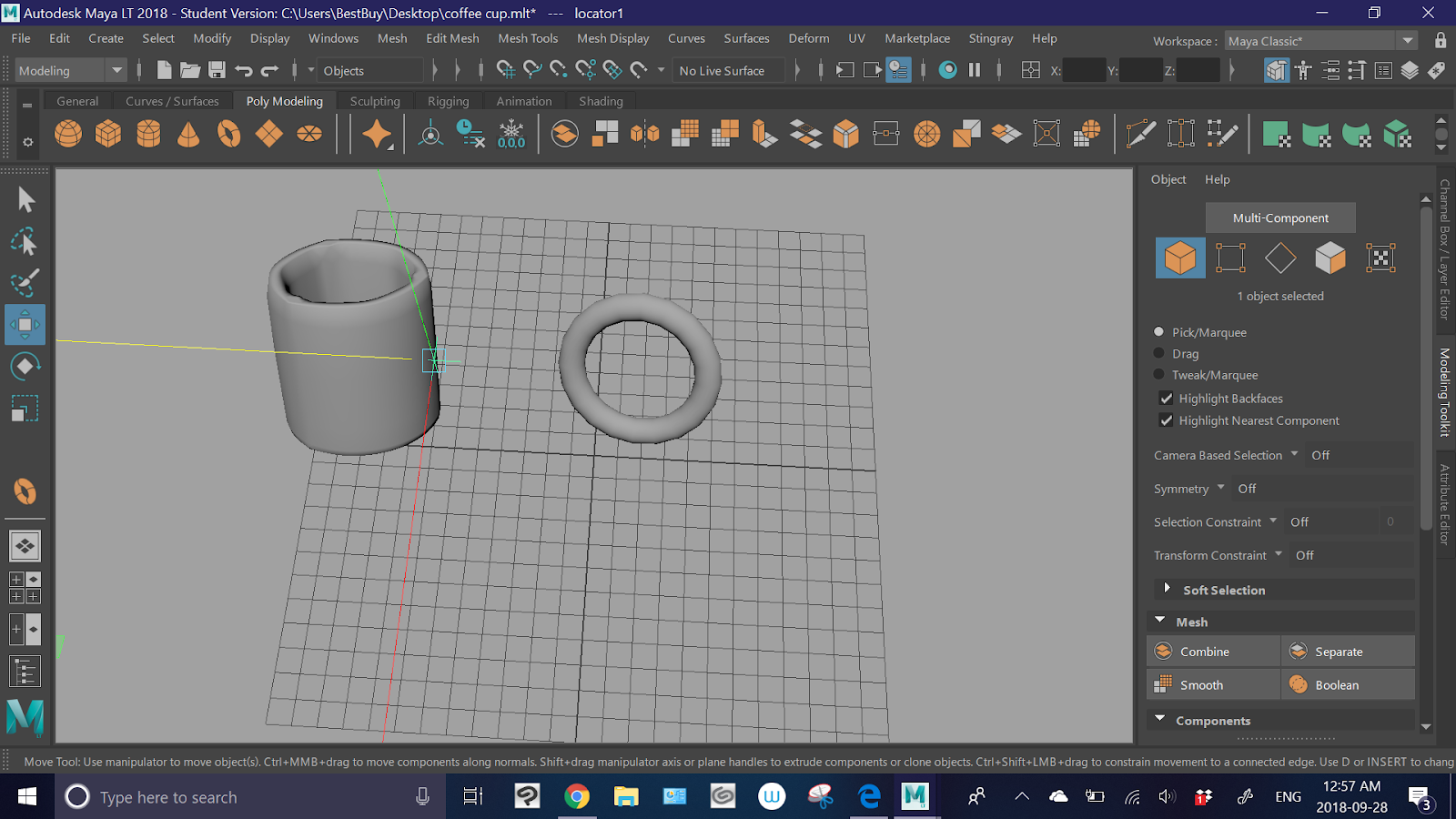
-worked on the coffee cup some more
-taurus = donut shape
-used the create taurus tool to create a donut


-I found a tool that allows you to create area markers
-using that I marked the coordinates the I wanted the handle to be in the pre-placed mug


-after that I selected the faces I didn't need for the handle

-used the delete key to delete the excess parts
-then used the combine objects button to fuse them


Problems:
-the fusion wasn't perfect, the ends of the donut poke through the cup

Solutions:
-I'll try and use some of the more complex modeling tools to edit it later

Stuff To Try Later:
-fixing the handle ends
-applying a material
-adding liquid inside